Hi Investments community,
I’ve just launched a free Chrome extension that solves a problem I’ve personally faced: Screener.in has excellent financial data, but analyzing trends from tables alone is mentally exhausting.
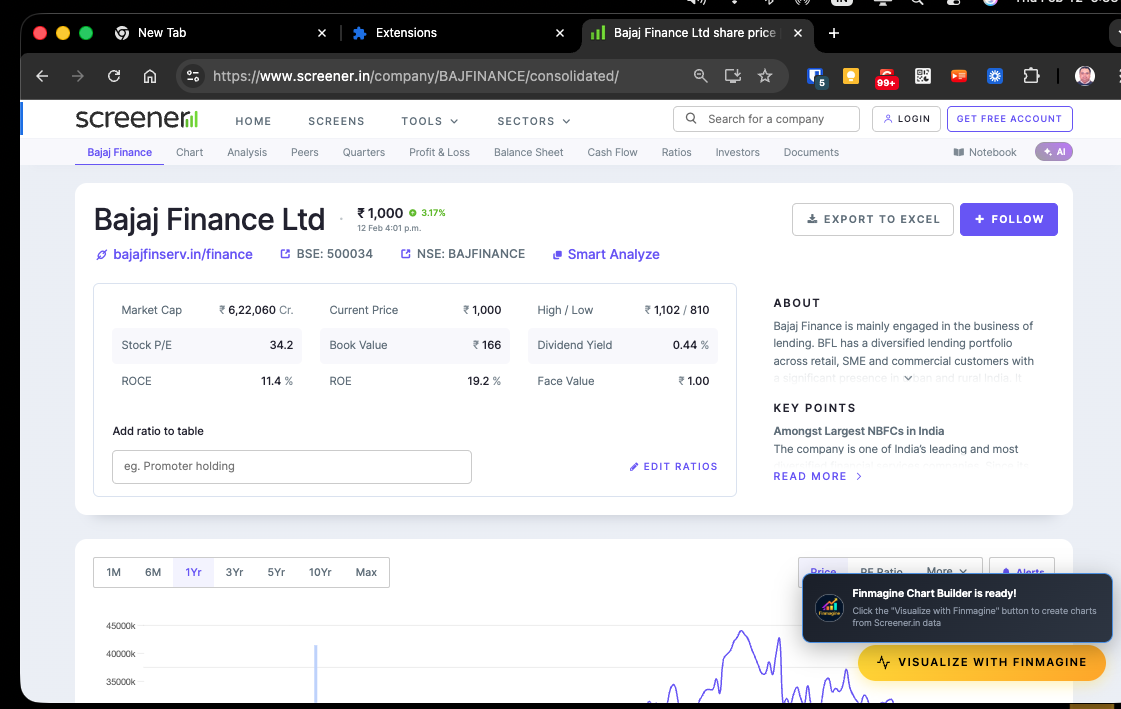
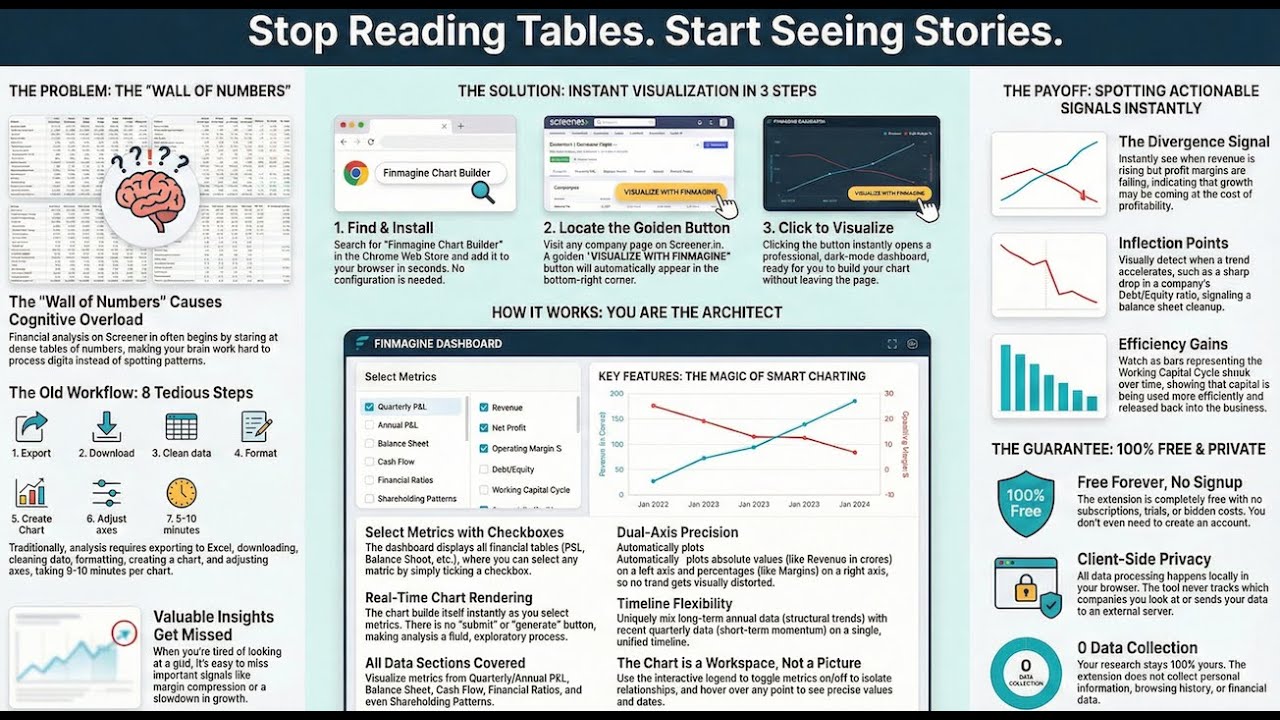
Finmagine Chart Builder transforms any Screener.in company page into interactive charts with one click.
What It Does
When you visit a Screener.in company page (e.g., HDFC Bank, Reliance, TCS), a golden “Visualize with Finmagine” button appears. Click it, select your metrics, and instantly get professional-grade charts.
Supported Metrics (40+):
- P&L: Revenue, Expenses, OPM, NPM, PAT
- Ratios: ROE, ROCE, ROA, Asset Turnover
- Balance Sheet: Debt, Equity, Reserves, Fixed Assets
- Cash Flow: Operating CF, Investing CF, Free Cash Flow
- Working Capital: Debtor Days, Inventory Days, Cash Conversion Cycle
- Valuation: P/E, P/B, EV/EBITDA, Dividend Yield
Key Features
1. Dual Y-Axis Support
Compare metrics with different scales on one chart:
- Revenue (₹ crores) vs Profit Margin (%)
- Debt (₹ crores) vs Debt/Equity (ratio)
- Working Capital Days vs ROCE (%)
Without dual axes, percentage lines appear flat at the bottom when plotted with absolute values. This feature solves that.
2. Mix Quarterly & Annual Data
Plot 10 years of annual data alongside recent quarterly results to spot inflection points before they appear in full-year reports.
3. Interactive Analysis
- Click legend items to hide/show metrics
- Hover for exact values and dates
- Export charts as PNG for presentations
4. Zero Data Collection
Everything runs locally in your browser. No tracking, no analytics, no external API calls. I’m not collecting ANY data.
Full privacy policy: Privacy Policy - Finmagine Chart Builder Chrome Extension
Real-World Use Case: Spotting Margin Compression
I tested this on Bajaj Finance:
- Revenue bars trending UP

- Financing Margin % line trending DOWN

This divergence signals that growth is coming at the cost of pricing power—something you’d miss scanning a table. The chart makes it obvious instantly.
[Screenshot: blogs/assets/images/chartbuilder/image010.png]
Why I Built This
I’m a fundamental investor who uses Screener.in daily. I was frustrated by:
- Mental overhead: Converting rows of numbers into trends in my head
- Excel gymnastics: Copy-pasting into spreadsheets for every company
- Time waste: 10 minutes per company just to see basic trends
This extension reduces that to 10 seconds. Chart any company with 3 clicks.
Installation & Usage
Install (5 seconds):
Tutorial:
Video Demo:
Technical Details (for the curious)
- Tech Stack: Manifest V3, Chart.js, vanilla JavaScript
- Permissions: Only
host_permissionsfor www.screener.in (required to read financial tables) - Data Processing: 100% client-side. HTML parsing → JSON structuring → Chart.js rendering
- Browser Support: Chrome, Edge, Brave, Opera (all Chromium-based browsers)
- No account required: Install and start using immediately
Pricing
100% free forever. No trials, no subscriptions, no “premium” features locked behind paywalls.
Feedback Welcome
This is v1.0 specifically for Screener.in. I’m considering adding support for Yahoo Finance and Google Finance in future versions.
If you use it, I’d love to hear:
- What worked well?
- What’s missing?
- Which metric combinations do you find most useful?
Resources
- Landing page: Finmagine Chart Builder - Free Chrome Extension for Screener.in Financial Visualization
- Privacy policy: Privacy Policy - Finmagine Chart Builder Chrome Extension
- Tutorial: How to Use Finmagine Chart Builder: Complete Tutorial for Screener.in Visualization | Finmagine
Happy investing! Let me know if you have questions.

 Available NOW: Screener.in support
 Coming soon: Google Finance support (submitted for review)
 Install now:
 Detailed Tutorial: