
TTM column should be there for newly listed IPOs in screener under yearly P&L.for example if the company is listed in Nov 24 and we have quarterly numbers available till Dec 24 as on today,without TTM column screener is calculating PE taking into consideration March 24 EPS.
Due to above issue,inflated PE number is reflecting in most of the newly listed companies which is why they are not passing the customized filters.
Thank you for considering my request, @kowshick_kk
Hi @kowshick_kk
Thanks for the wonderful platform.
Stocks listed on NSE SME platform are not showing any business update.
Please check.
thanks for a great tool. i have 2 requests -
-
can you add a feature wherein one can add comments in the query editor tool. like with a simple C like
//or shell like#etc… it will help if i want to quickly switch between different criteria in the query or add any notes etc. to the query that are important. -
can you add a filter for exchange. like if i want to see only NSE listed stocks and not BSE.
1 Like
@kowshick_kk - possible to add this?
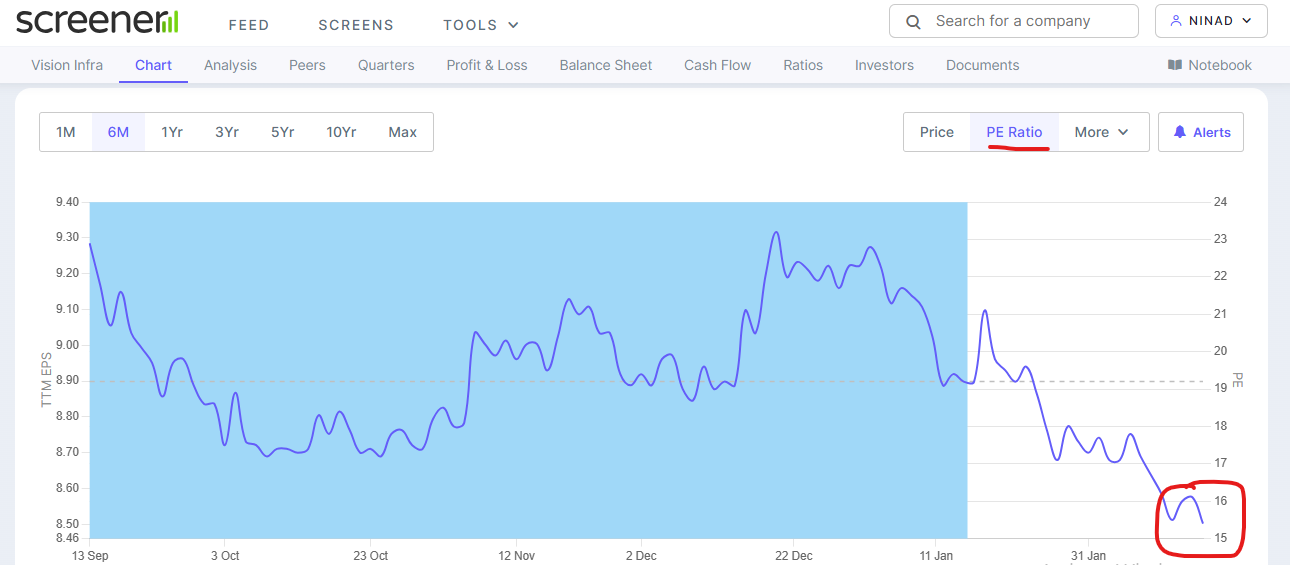
@kowshick_kk why does screener show different PE multiple in the initial window and a different PE in the chart ?
… eg - vision Infra PE is shown as 21.9 in upper tab but in the chart its showing as 15.1

1 Like
SIEMENS Consolidated EPS is 79.3 and Price is 4991, so P/E could be about 62.93 But it is shown as 78.2.
I am not sure whether there is any calculation Mistake from me.
Screener P/E looks high compared to some other web sites as well.
May be need some re-look.

2 Likes
Hi,
Not sure if this has been addressed before, but I would like to suggest that on the company information page, could you please have a section where you pull in all the recent news about the company(perhaps right next to filings?)? The overlay of recent news in the background of the fundamentals would be very useful.
Very grateful for your fantastic tool! 
1 Like
@kowshick_kk - Request you to see if SIEMENS P/E ratio can be corrected as it looks incorrect.
Thanks.
Can we may please have a mean or median Price to BV ratio and Mcap to sales ratio as a filter criteria also?
Hi @gsapte
The formula that we use to calculate the PE ratio is Mcap/PAT (TTM).
PAT is Net Profit adjusted for the extraordinary items. In the case of SIEMENS, the company had an exceptional (one-time) income of Rs. 551 Crs in the last 4 quarters.
After the adjustment of the one-time Income, the TTM PAT of the company is 2274 Crs. The Mcap of the company is 1,73,951 Crs. Thus, the PE ratio of the company is (1,73,951/ 2274) = 76.5
2 Likes
@ kowshick_kk Thanks for the Explanation.
@kowshick_kk request your response here.
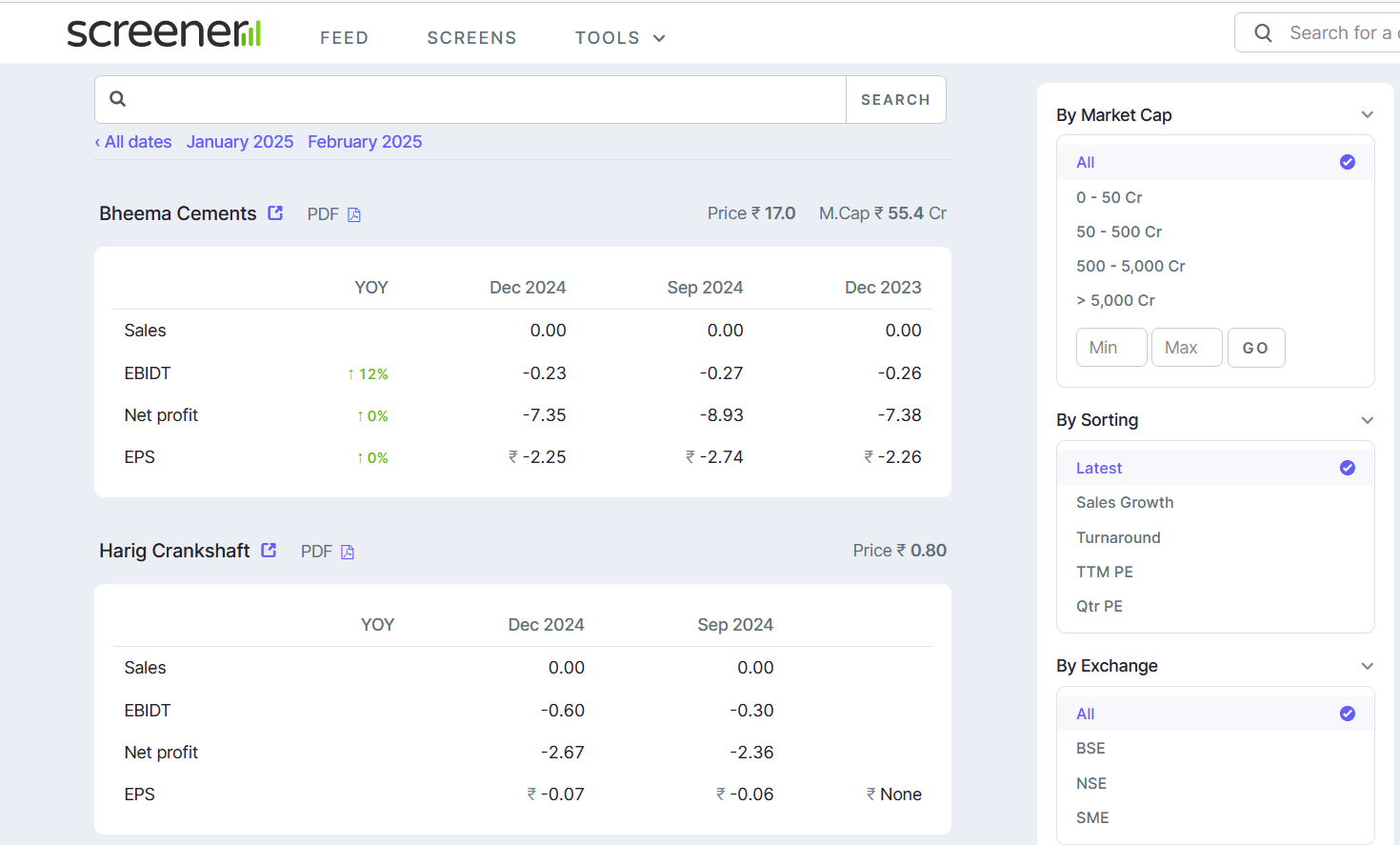
Hi @kowshick_kk ,
Request you to add the following criteria so that we can use these filters more effectively:
a) Please allow us the option to customize the range of PE ratio values, just like you did for market cap in the screenshot.
b) Kindly create check-boxes alongside the exchanges so that we can select both “BSE” and “NSE” together, and deselect the “SME” option."
1 Like
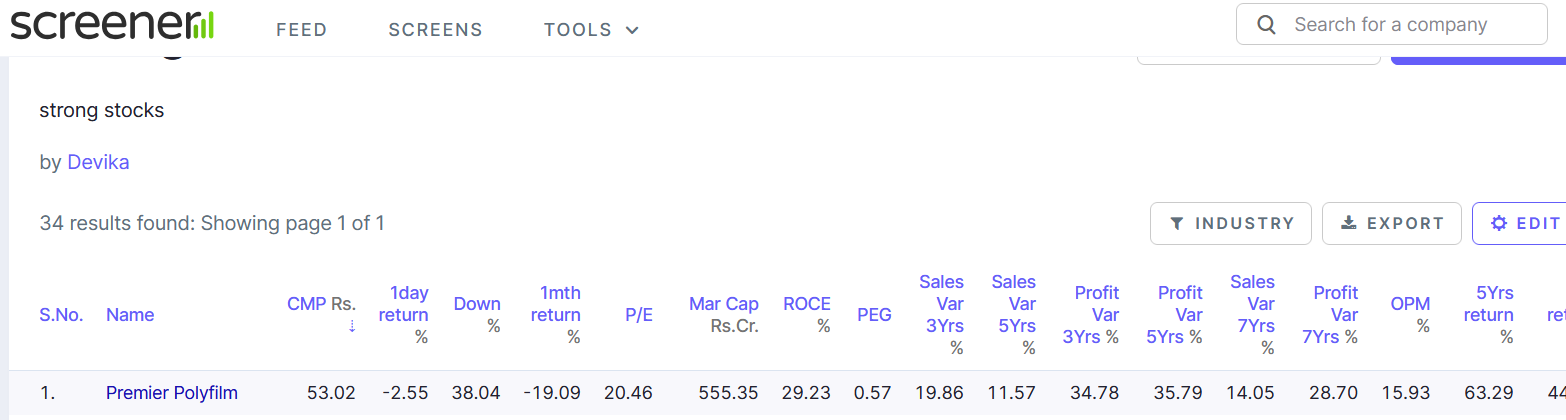
Hi @kowshick_kk ,
Request you to add a ‘Notes’ column in the table of filtered screens. I believe this feature would be incredibly helpful, as it would allow us to view our company notes(upto a certain word limit) directly alongside the company names. This would save time and avoid the need to click on each company individually to check the notes we’ve written while studying them.
2 Likes
Hi @Devika.Mittal Thanks for taking your time and sharing your valuable feedback with us.
I have noted your suggestions and will discuss with our team on our next meet for consideration.
Please bring AI to screener.in for assisting in finding the name of companies for following question:
Give me the list of companies showing value growth in the recent quarter?
Can you guys show order book of different companies in the form of a chart plotted against different quaters at any given time.
It will actually be useful in infra, capital, epc or govt facing companies.
How to make following screens:
Down from 2 years high
Up from 2 years high
Thanks
1 Like
Screener should start covering mutual funds also. Summarizing p/e, p/b ratios, holdings, rolling returns, etc. all with a “screener simplicity” will be a game changer.